Left · the labs.llc tool
TAP, side by side
A minute of your own network, read in the browser: the labs.llc TAP against a packet analyser, a network monitor and a Mac firewall.
Right · set against
- Wireshark
The free, open-source packet analyser for live capture and deep protocol inspection.
page checked 2026-09-27 20:06 UTC - GlassWire
A Windows and Android network monitor and firewall with usage history and alerts.
page checked 2026-09-27 20:06 UTC - Little Snitch
A macOS network monitor and application firewall with connection alerts.
page checked 2026-09-27 20:07 UTC
1 · The tool
What it is, and who it is for
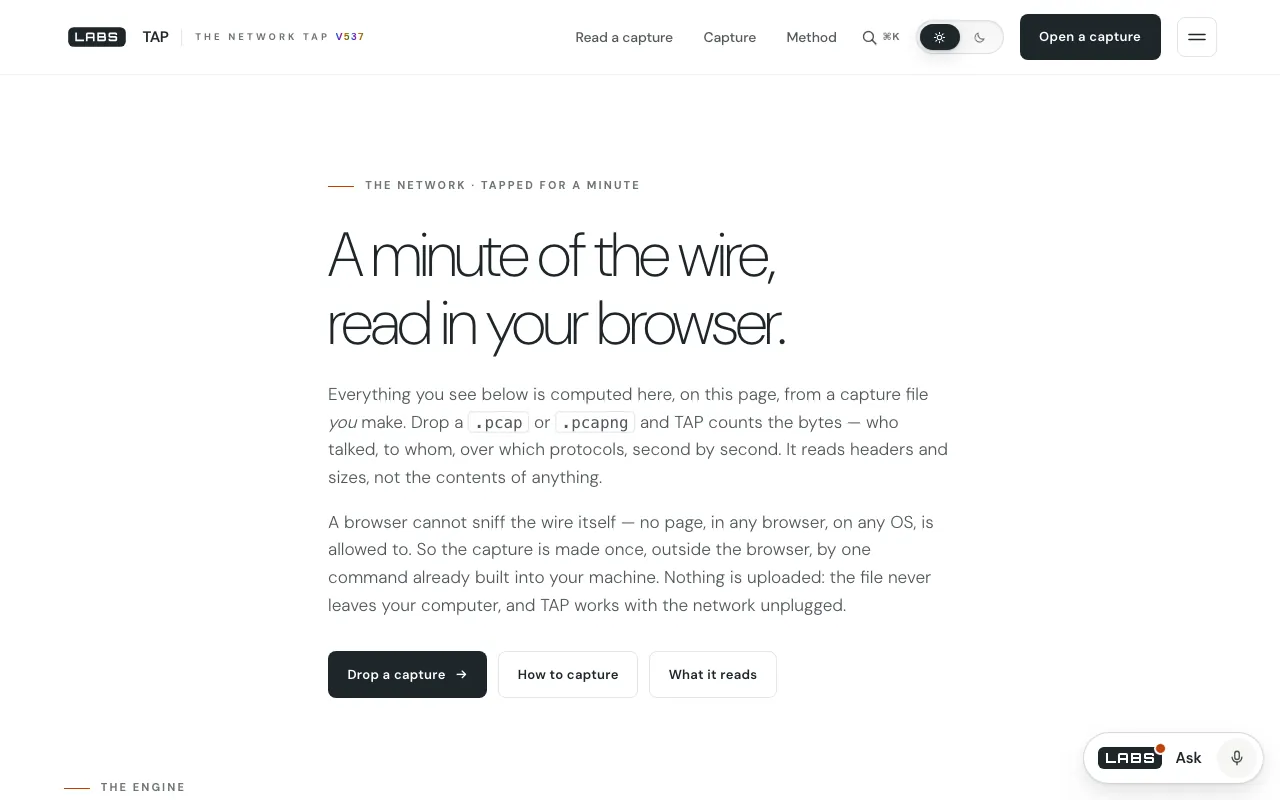
A browser cannot watch a network by itself. TAP on labs.llc works around that in two steps: a script runs the capture tool already built into your computer for a short while, then the page reads the resulting file in the browser and summarises it. You see who talked, how much, over which protocols, on a timeline, and the names inside the traffic. Only headers are kept, and nothing is uploaded.
It is for curious home users, small-office IT and anyone who wants to see what is on their network without installing a packet analyser.
2 · The workings
How it works
The capture scripts use tcpdump on macOS and Linux and pktmon on Windows, so no extra driver is needed. They keep only the first 512 bytes of each packet, with the reason written at the tcpdump line, and cap the file size; byte totals still use each packet's true length. The page then parses the pcap or pcapng file with tap-engine.js, one self-contained file with no dependencies and no network calls. A link that asks the page to load a capture can only fetch one from the page's own origin, so a stranger's file cannot be presented as your network.
- your own capture file, pcap or pcapng; there is no outside data source
Where the work happens: Your computer, then your browserThe capture runs locally; the parsing runs in the tab.
3 · The test
What we ran, and what came back
Run against a local copy of labs.llc build 537, byte-identical to the live site. Times are UTC.
| What we did | When (UTC) | What came back |
|---|---|---|
| The page and the three scripts | 2026-09-27 20:01:45 | Page HTTP 200, 99,807 bytes; tap-capture.command 11,134 bytes; tap-capture.ps1 11,192 bytes; tap-capture.bat 1,786 bytes. |
| The engine's built-in self-test | 2026-09-27 20:01:45 | Run under JavaScriptCore on macOS: 12 of 12 checks passed, covering 6 packets, 2,648 bytes and per-host byte counts for 5 addresses. |
| A real capture | not run | It needs an administrator password or elevated shell; we did not run one for this review. |
4 · Side by side
Row by row against Wireshark, GlassWire, Little Snitch
3 to labs.llc3 elsewhere0 level
01What you install
Nothing new: tcpdump or pktmon is already on the machine, the page reads the file in a tab, and nothing is left running.
Evidence: tap-capture.ps1 lines 13, 84; tap-capture.command line 120Wireshark installs on Windows, macOS, Linux and UNIX and is free under GPLv2.
GlassWire runs on Windows and Android.
Little Snitch is for macOS, with a 30-day trial and then a licence.
labs.llc has the smallest footprint of the four.
02Watching all the time
Not live: run a script, wait for the capture, drop the file in.
GlassWire keeps usage by host, app and traffic type over time, and alerts when a new app goes online or an unknown device joins your WiFi.
Little Snitch alerts on every new connection and keeps up to twelve months of history.
For ongoing watch, the monitors are the right tools.
03How deep it decodes
Headers only, with a fixed port-to-service table.
Evidence: tap-engine.js lines 16-34 (the port table); tap-capture.command line 35Wireshark captures live and inspects hundreds of protocols in depth, payloads included.
For an investigation, Wireshark is in another league.
04What reaches the disk
512 bytes per packet, so page bodies and cookies are never written; the engine makes no network requests and keeps nothing.
Evidence: tap-capture.command lines 35, 146-163; tap.js line 13Wireshark keeps whole packets, which is what deep inspection requires.
For a summary, labs.llc collects the least it can. That is a deliberate trade, not a free win.
05A summary a non-specialist can read
Top talkers, protocols, ports and a timeline, plus names pulled off the wire: TLS server names, DHCP host names, NetBIOS and mDNS, including other devices the capture could hear.
Evidence: tap-engine.js lines 101-102, 323, 367, 399, 613-619Wireshark lets you capture and interactively browse the traffic, packet by packet.
Little Snitch maps connections from your Mac to servers worldwide.
labs.llc produces the plain-language answer; the others give more to explore.
06Stopping a connection
It reads; it cannot block anything.
Little Snitch blocks per app with rules for servers, domains, ports or protocols.
GlassWire has an “Ask to connect” firewall.
If you want to act on what you find, you need a firewall.
5 · The shortcomings
Where it falls short
- Not live: no continuous monitoring or alerts.
- Capturing needs an administrator password or an elevated shell.
- Headers only, with no deep protocol decoding.
- The summary text says sixty seconds, but the macOS and Linux script defaults to 30 (60 is an option).
- We did not run a real capture for this review; the engine's self-test is our evidence.
6 · The verdict
Which side, for which job
Left: labs.llc TAP
Pick TAP when you want a one-off, private look at what is talking on your network, on macOS, Linux or Windows, without installing anything.
Right: elsewhere
Pick Wireshark to investigate, GlassWire or Little Snitch to watch continuously and block.
The gentlest way to see your own network, built around keeping as little as possible. A snapshot, not a watchman.
Try TAP on labs.llc